
Bulk edit properties
Load an assembly and change the data of all models at once.
Bulk edit properties of parts, assemblies and drawings, rename files with reference updates and prepare documentation in a convenient table view.
SolidWorks 2012 and later is supported. Runs on Windows 8 and newer.
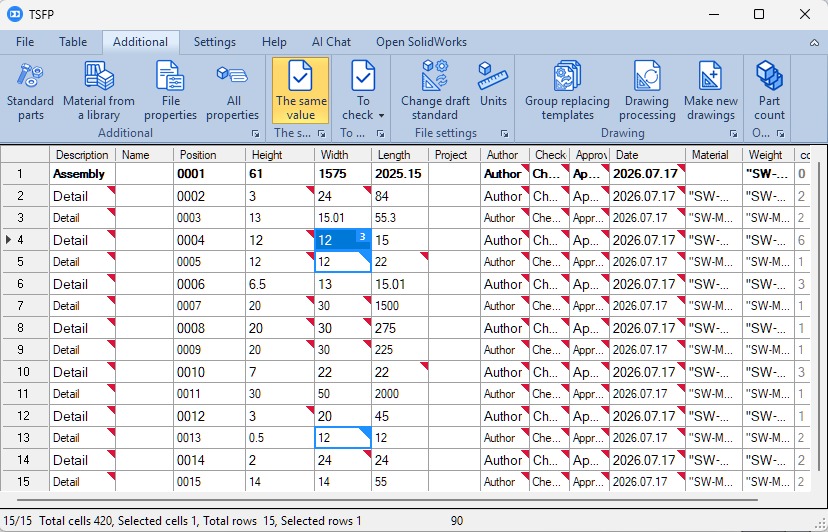
Load an assembly and change the data of all models at once.
Change file names while keeping references correct.
Update model materials without opening each file manually.
Bulk change standards and templates, and create drawings.
Combine names with the built-in name constructor.
Export data or files to the formats you need for work.
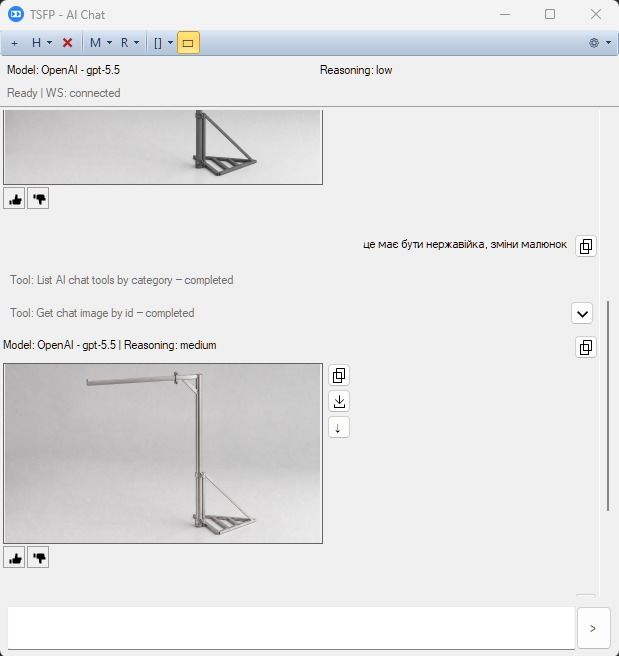
Get unique automation capabilities for TSFP and SolidWorks and speed up your daily routine. Ask, or better still, tell the AI assistant to do something for you. Analysis and preparation, solution selection, search and creation of standard products, photorealistic image generation and much more. A built-in chat is included, or you can use your own subscription to OpenAI (Astra, Tera, Luna, Sol …), Anthropic (Opus, Fable …), Microsoft (Copilot) or xAI (Grok). More about capabilities →